



Mouse Jiggler Mouse Movement Simulator with Timer 0.5 to 4 Hours and RGB Backlighting USB-C to Prevent Sleep and Locking of the Computer
| Colour:
|
You already have the maximum available quantity in your cart.

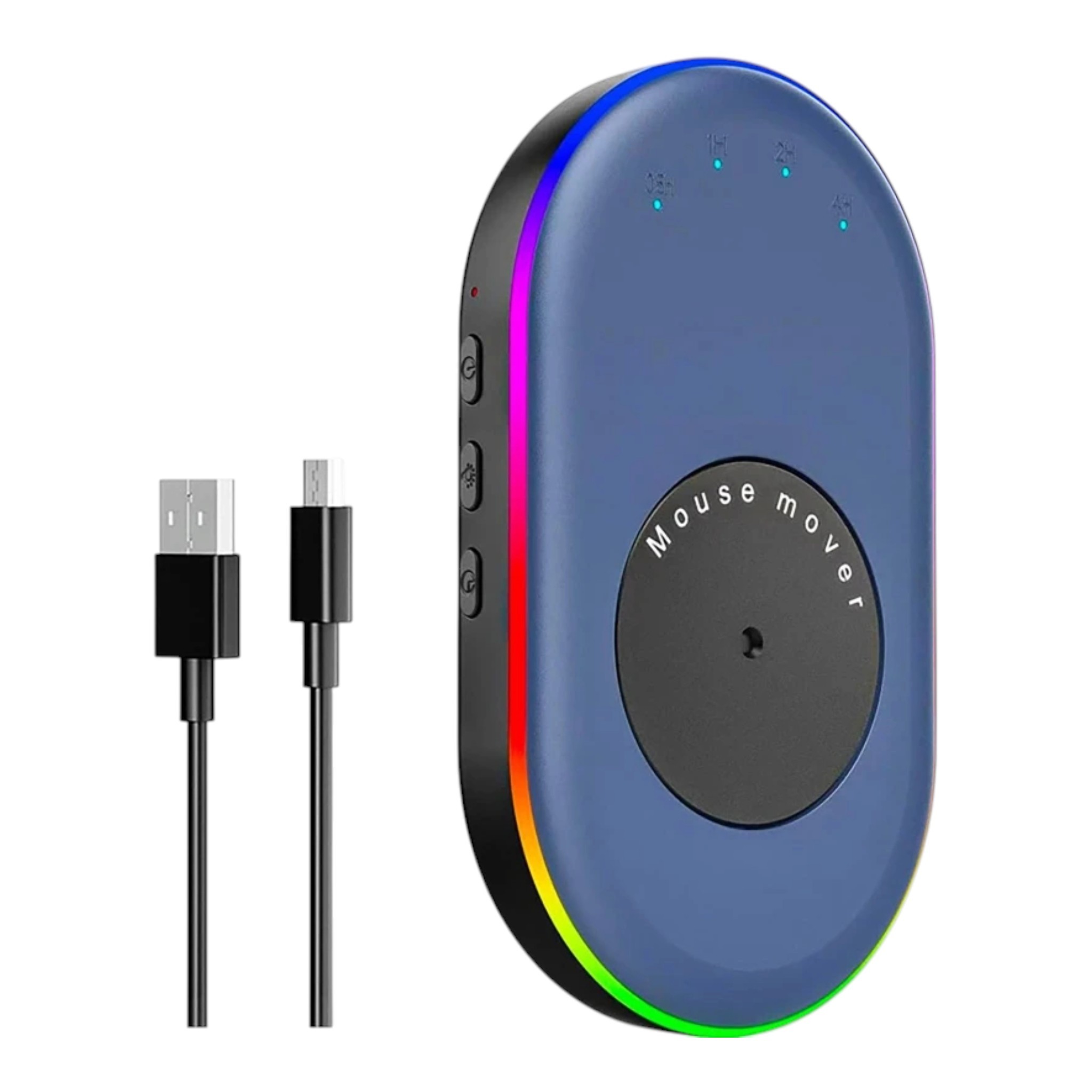
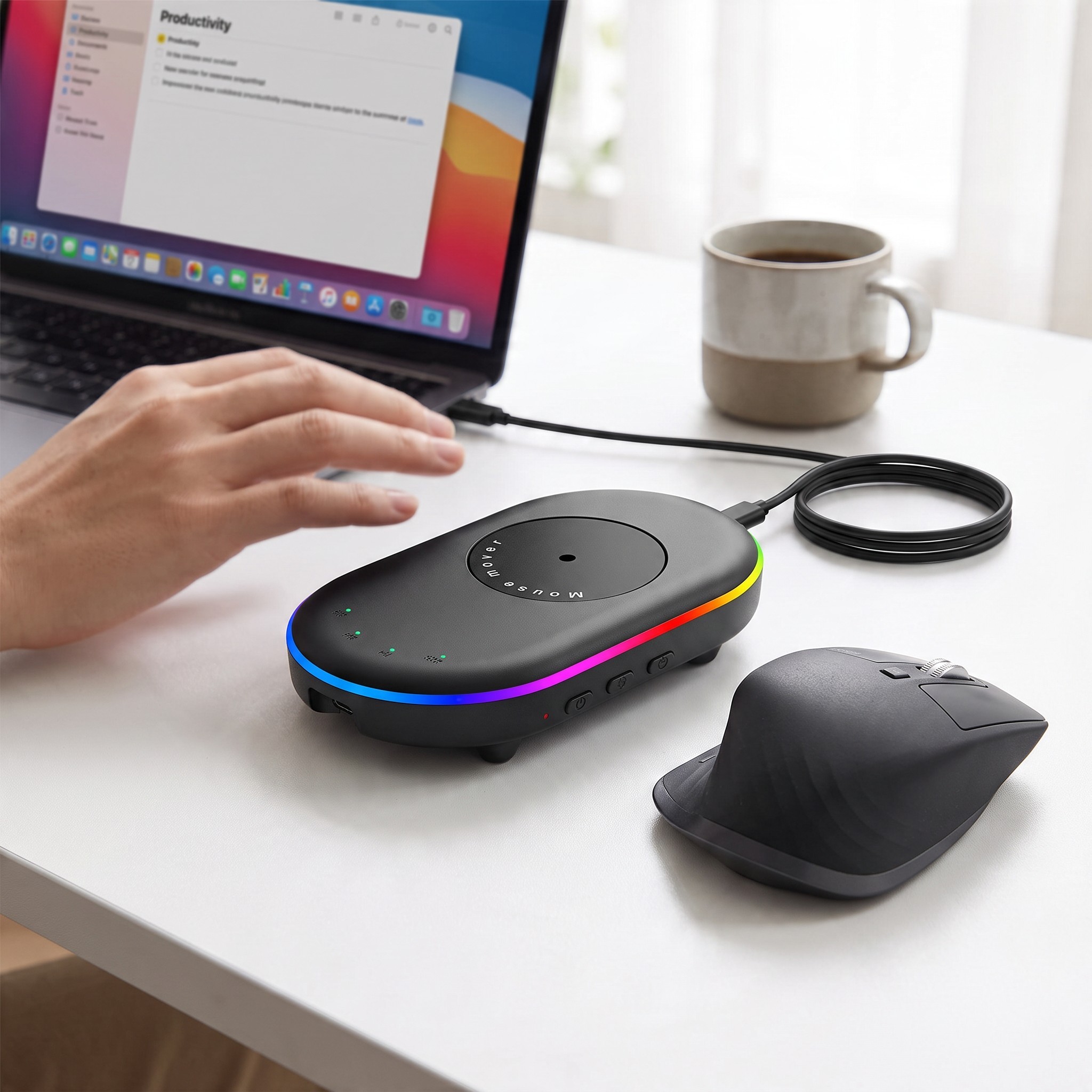
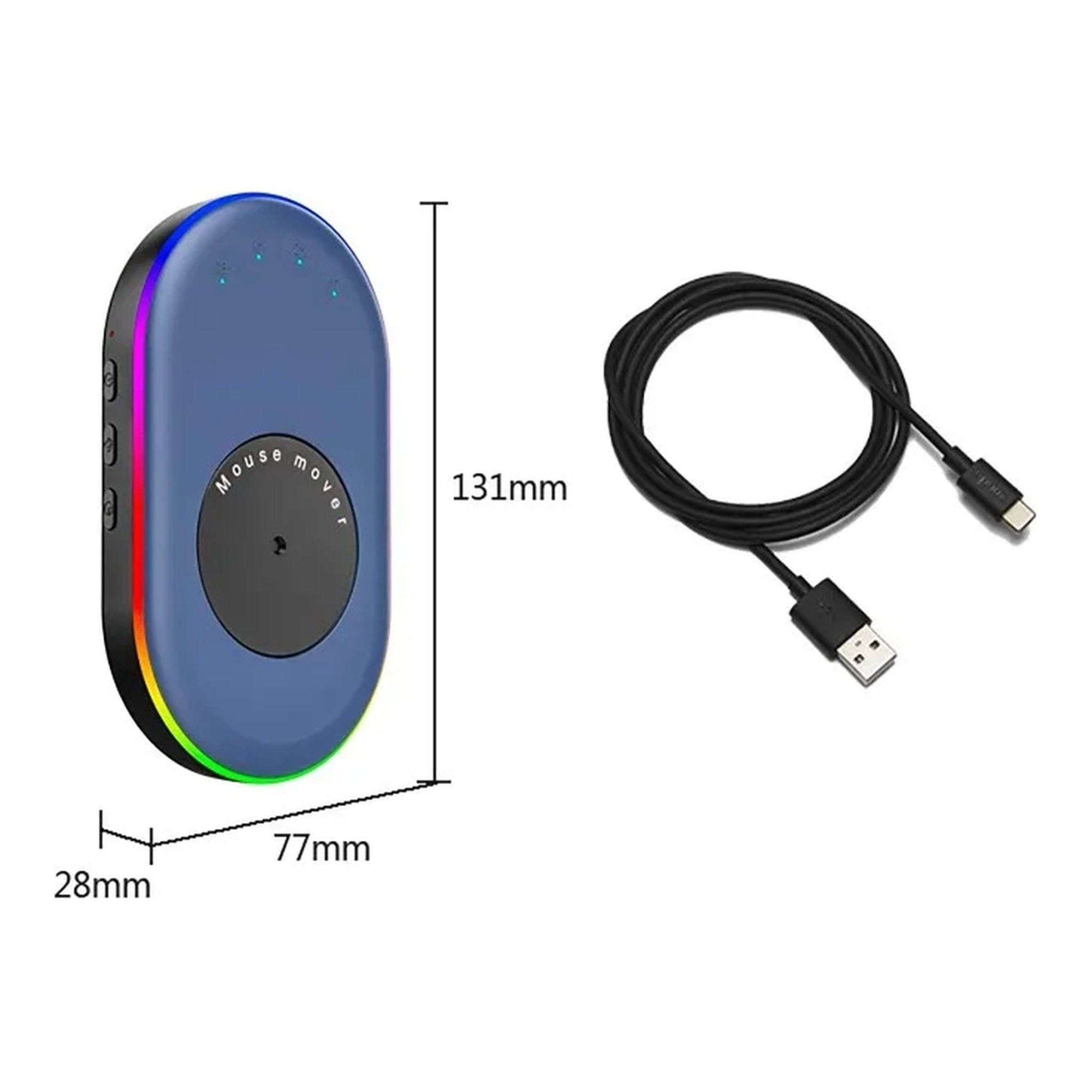
The mouse movement simulator is a practical assistant for anyone who needs their computer to remain active even when they are not sitting at it. It operates purely mechanically – you place the mouse on a rotating disk, which slowly turns, allowing the mouse sensor to register a smooth cursor movement. This prevents the computer from entering sleep mode, the screen from turning off, and the session from locking. The device requires no software or drivers, and the cable is solely for power. It works with both wired and wireless mice and is compatible with computers running Windows, macOS, and Linux.
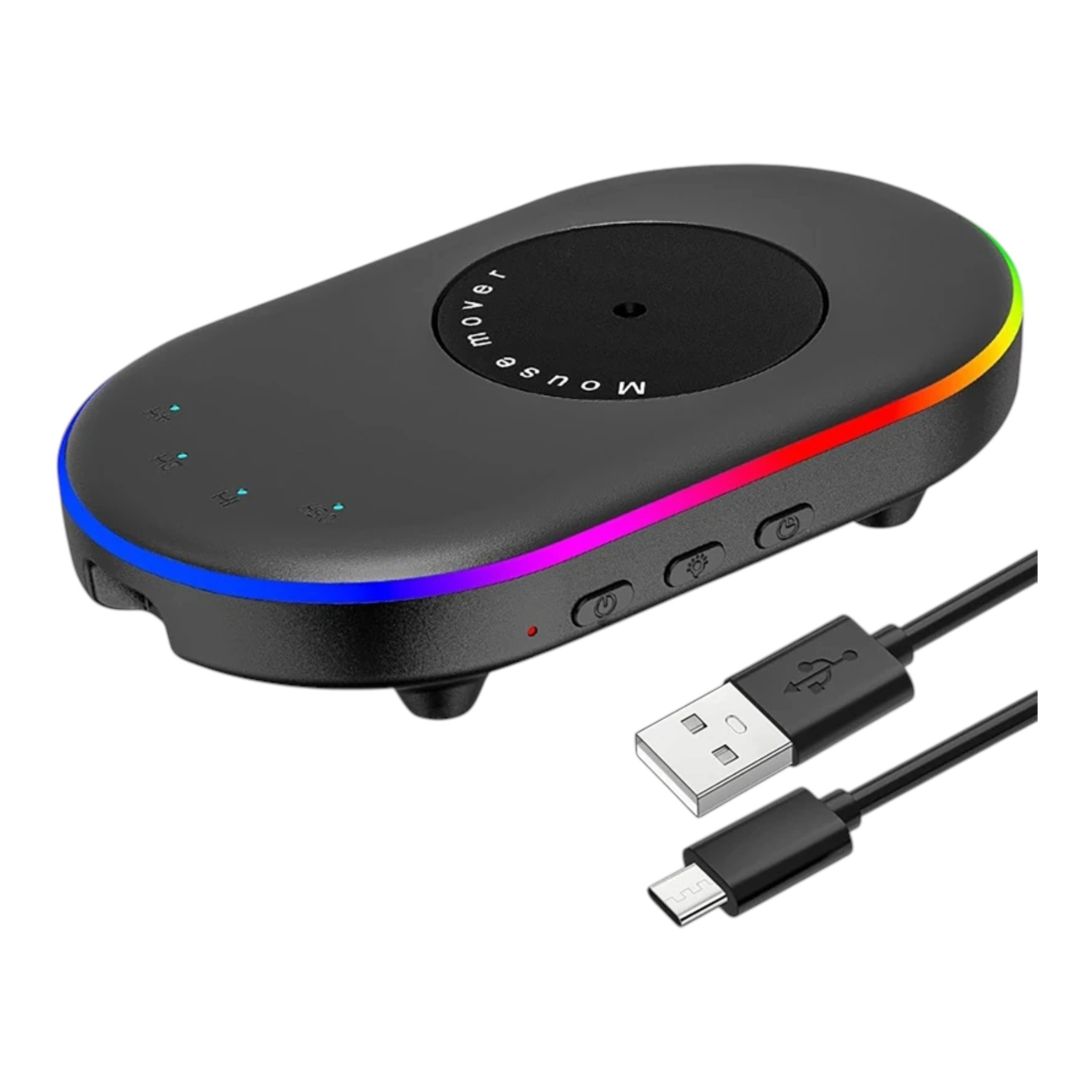
On the side, you will find three buttons – a power switch, backlight control, and timer. The timer offers four settings: 0.5, 1, 2, and 4 hours, with the selected value indicated by lights on the top. The body is illuminated by seven-colour RGB backlighting, which can be turned off with a single button if it distracts you while working or in the dark. The raised edge around the top surface prevents the mouse from slipping off, and the rubber feet keep the simulator firmly on the desk. Power is supplied via a USB-C port – the cable can be connected to a USB port on the computer or to a 5V 2A mains adapter.
- Type – mechanical mouse movement simulator with rotating disk
- Compatibility – wired and wireless mice, Windows XP/7/8/10, macOS, and Linux systems
- Control – three buttons for power, backlight, and timer
- Timer – 0.5 h, 1 h, 2 h, and 4 h
- Backlighting – seven-colour RGB around the edge with an option to turn off
- Power – USB-C port, from the computer's USB port or from a 5V 2A adapter
- Cable Length – 1.5 m
- Dimensions – 131 x 77 x 28 mm
- Surface – matte textured finish that does not show fingerprints
- Package Contents – mouse movement simulator and USB-A to USB-C power cable
Using it is simple. Connect the cable, press the power switch – the red indicator light will turn on, and the disk will start rotating. Then, place the mouse on the disk so that its sensor is facing the rotating surface. The further from the centre of the disk the sensor is positioned, the greater the cursor movement on the screen, allowing you to easily adjust the range of motion. The matte surface only needs to be wiped occasionally with a dry cloth.
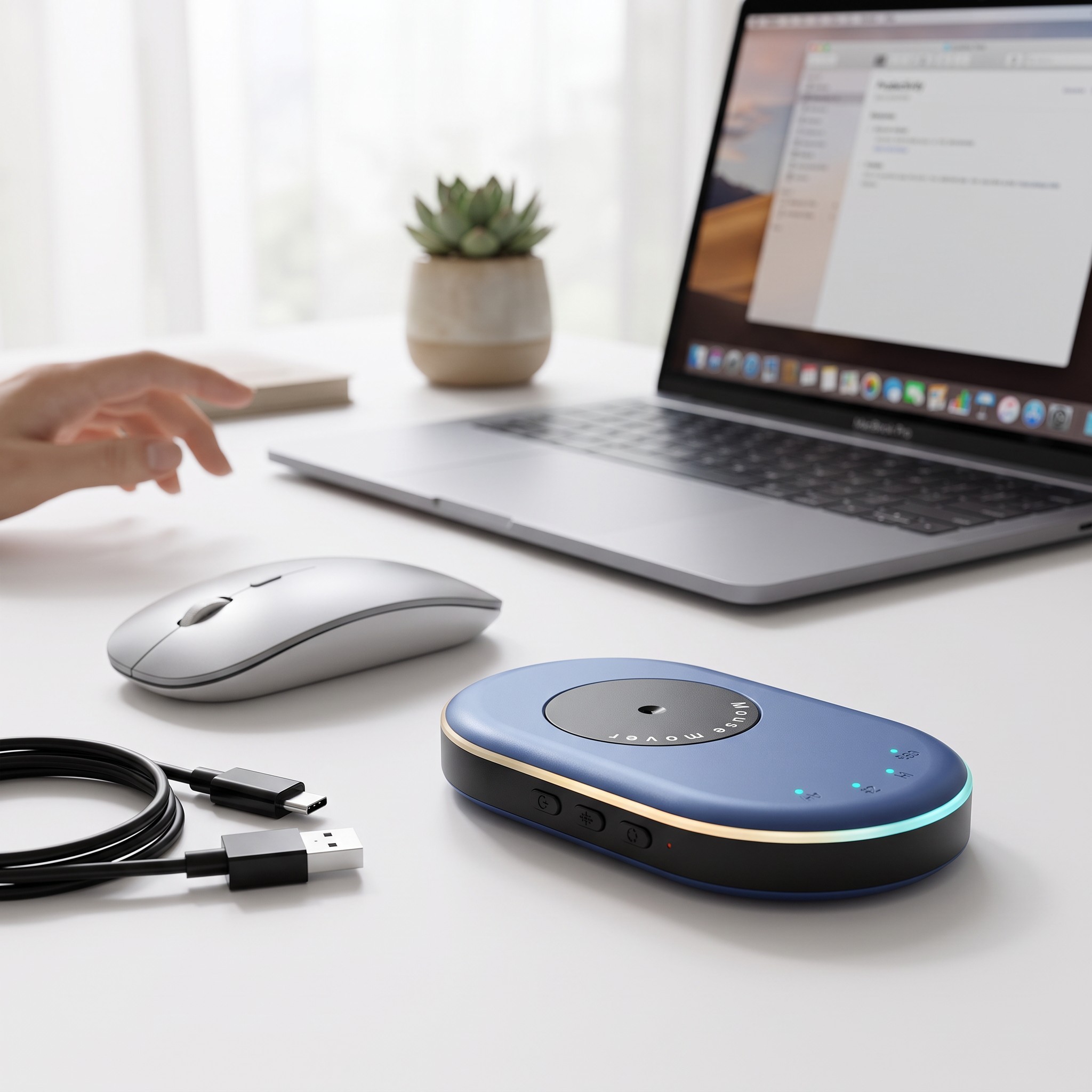
The mouse movement simulator is suitable for both office and home workspaces, during long file downloads, ongoing calculations, presentations, or monitoring data on the screen. Its compact dimensions of 131 x 77 x 28 mm take up minimal space on the desk, and the device can be easily transported in a bag with a laptop. Its quiet operation does not disturb you while working or on the phone. The timer and switchable backlighting make it easy to customise operation to your own needs. Thanks to the USB-C power supply, you can connect it almost anywhere.
Delivery
Delivery to address€1.59
Estimated delivery: 4 – 17 November
You only pay for delivery once per order, whatever its size.
We will email you the tracking number as soon as the seller makes it available.
Delivery guarantee: if your parcel does not arrive within 75 days of payment, we will refund your money or the goods will be sent to you again – whichever you choose.
Delivery is only possible to addresses in Ireland.
Need more information? Read our article Delivery and Payment.
Returns and Exchanges
Shop with confidence – LUNZO guarantees that your purchase goes smoothly. You arrange returns and exchanges directly with us, so there is nothing to sort out with the seller.
Returns30 days to return without giving a reason
Withdrawal period30 days from receipt of the goods
Deadline to send the goods backWithin 14 days of withdrawing from the contract
Return shipping costsYou pay the postage for sending the goods back to Spain. It is an international parcel, so it usually costs more than a parcel sent within Ireland. We charge no other fee.
RefundWithin 14 days of your notice of withdrawal, using the same payment method you used for the purchase. If you return the whole order, we will also refund the delivery cost.
Crediting of the amountUsually 2–10 working days, depending on the payment method
Product conditionYou may unpack the goods and try them as you would in a shop, and you can return them even without the original packaging
Returns addressQX-BOX AEMALL RETURN
Rotonda Rene Descartes, Parcela 101 – Nave 3
28070 Alcala de Henares, Madrid
Spain
How do I return goods?
- Email us at info@lunzo.ie with your order number and the items you are returning.
- Pack the goods and send them by post to the returns address in Spain.
- Send us the proof of dispatch with the tracking number – this lets us refund you without waiting for the parcel to arrive.
Faulty goodsUp to 6 years to claim for faulty goods
Did the goods arrive damaged, do they not work, is something missing from the parcel or do they not match the description? We will sort it out.
Period for claiming a faultUp to six years from delivery of the goods
RefundWithout undue delay once the claim has been settled, using the same payment method you used for the purchase
How does it work?
- Email us at info@lunzo.ie with your order number and a description of the problem, and attach photographs or a video.
- We will assess it and suggest a solution. Photographs are usually enough – please do not send the goods back until you have received instructions from us.
- We will settle your claim within 30 days at the latest – with a new item, a price reduction or a refund.
If the goods need to be sent back, we will refund the postage for a valid claim (just provide the receipt).
ExchangesA different size, colour or variant
Write to us within 30 days of receipt at info@lunzo.ie with your order number and the variant you are interested in. We usually reply within 24 hours.
If the variant is available, we will send you instructions for the exchange. You pay the cost of sending the original item back; the new variant will be sent to you at no further charge.
Need more information? Read our articles Returns and Exchanges and Faulty Goods.
Payment methods
 Credit / debit card
Pay with your Visa or Mastercard through a secure payment gateway. Payment goes through instantly, so we can process your order straight away.
 Apple Pay
Pay with a card saved in Apple Wallet on your iPhone, iPad or Mac. You confirm the payment with Face ID, Touch ID or your passcode.
 Google Pay
Pay with a card saved in your Google account, on an Android phone or in the Chrome browser. You never have to enter your card number.
 Bank transfer
Once you complete your order, we will send you the details for the bank transfer. Your order will be dispatched as soon as the payment reaches our account.
 Revolut Pay
Pay with your Revolut account – simply confirm the payment in the Revolut app, without entering any card details. Payment goes through instantly.
Payment is made through a secure payment gateway and your card details are never stored anywhere on our side. We do not charge a fee for any payment method.
Need more information? Read our article Delivery and Payment.
About the seller
This product is sold and shipped by an external seller. LUNZO guarantees you a safe purchase: online payments go through a secure payment gateway, and you handle your order, returns and complaints with us.
The following information has been provided by the product seller, who is responsible for its accuracy. The seller acts as a trader.
Seller:
Xiaogan Anpuer Lighting Co., Ltd
Address: Room 102, 1st Floor, Building 12, Xiaochai Community, Xiaochai Heng Second Street, Xiaogan City, China
E-mail: eleven@khled.com
Telephone: +86 189 8648 0660
Manufacturer:
Xiaogan Anpuer Lighting Co., Ltd
Address: Room 102, 1st Floor, Building 12, Xiaochai Community, Xiaochai Heng Second Street, Xiaogan City, China
E-mail: eleven@khled.com
Telephone: +86 189 8648 0660
EU responsible person:
APEX CE SPECIALISTS LIMITED
Address: Unit 3D North Point House, North Point Business Park, New Mallow Road, Cork, T23AT2P, Ireland
E-mail: info@apex-ce.com
Telephone: +353 21 2066339
All products from this seller