Seller: HELIER BORA
Dispatched within 1 working day (Mon–Fri) – orders paid for by 14:00 Irish time are processed on the same working day.
Availability: In stock
Transit: 5–13 working days – transit takes place on working days (Mon–Fri).
In total, please allow 5–14 working days from payment of your order.
Delivery is only possible to addresses in Ireland.
Delivery to address: €1.59
Returns
Deadline: 30 days from receipt of the goods, without giving any reason
How: notify us of your withdrawal at info@lunzo.ie and send the goods by post to the returns address:
QX-BOX AEMALL RETURN
Rotonda Rene Descartes, Parcela 101 – Nave 3
28070 Alcala de Henares, Madrid
Spain
Once you have sent the parcel, send us the proof of dispatch with the tracking number to info@lunzo.ie – this lets us process your return as quickly as possible and refund you without waiting for the parcel to arrive.
Product condition: you can also return goods that have been used or unpacked, or that no longer have their original packaging or tags
Costs: you pay the postage for sending the goods back to Spain; we charge no return fee
Refund: within 14 days of receiving your notice of withdrawal; we may withhold the refund until the goods have arrived back or until you provide proof that you have sent them
Exchanges
Deadline: 30 days from receiving your parcel (exchange for a different size, colour or variant)
How: write to us at info@lunzo.ie, giving your order number and the variant you want – once we have checked that it is available, we will send you instructions for the exchange, including the address to which you should send the original item
Costs: you pay to send the original item back; the new variant will be sent to you at no further charge
Faulty or damaged goods
Period for claiming a fault: up to six years from delivery of the goods – within the first 30 days you can reject a faulty product and ask for a full refund, and for the first 12 months a fault is presumed to have been present on delivery
How: write to us at info@lunzo.ie and attach a photograph or a video of the goods – in most cases you do not have to send the goods back
Remedies: a replacement with a new item, a reasonable price reduction, or a refund of the full purchase price
You will find the details in Delivery and Payment, Returns and Exchanges, Faulty Goods.


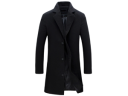





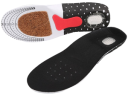
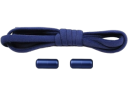

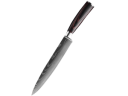



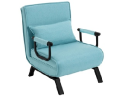
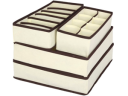
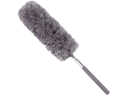


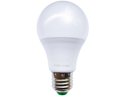





























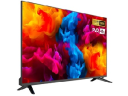



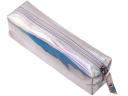


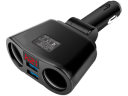
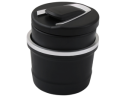





























 SOLD BY HELIER BORA