




















































Ultrasonic Contact Lens Cleaner USB Charging Portable Case with Accessories 360° Cleaning Compact Colour Design
You already have the maximum available quantity in your cart.

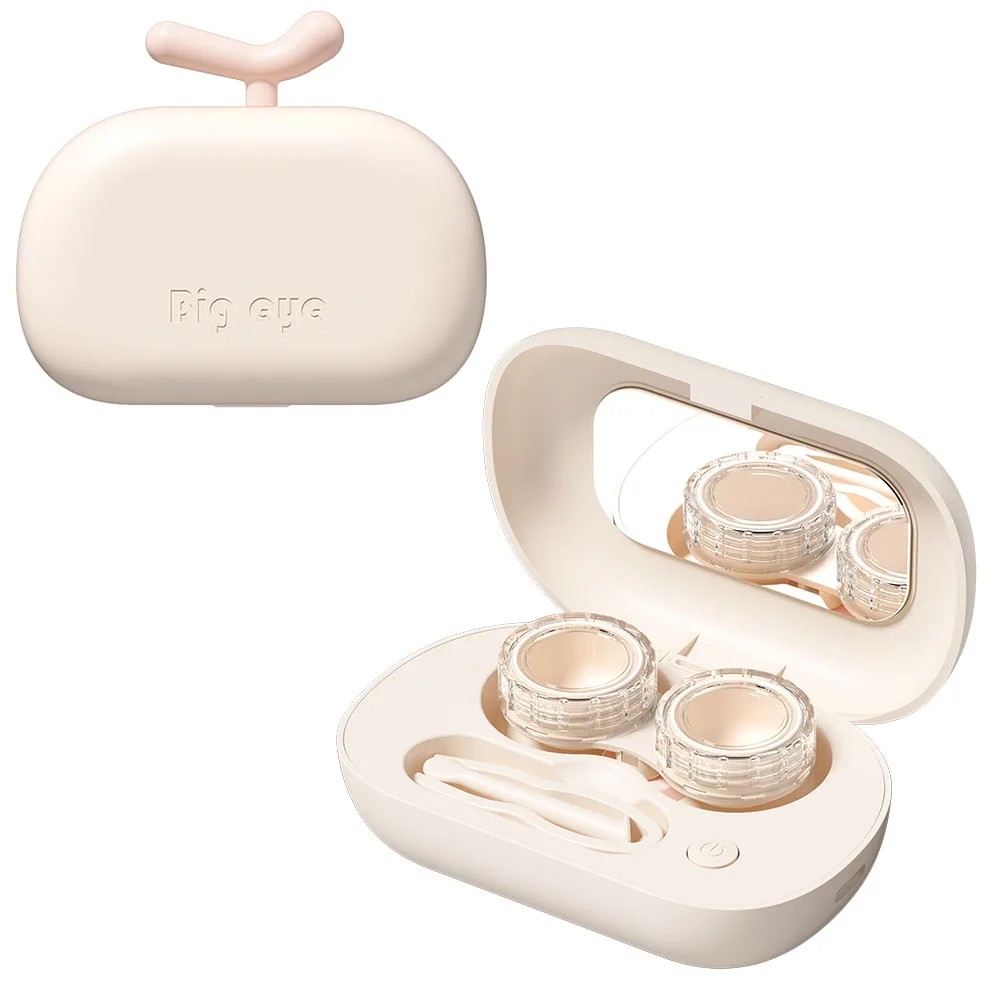
The ultrasonic contact lens cleaner is designed for thorough cleaning using high-frequency vibrations. The compact design allows for easy use at home and on the go.
The device utilises high-frequency vibrations up to 18,000 rotations per minute, which help remove dirt, deposits, and residues from the surface of the lenses. Thanks to the 360° cleaning technology, it acts evenly from all sides.
The cleaning process takes approximately 3 minutes, during which the lenses are effectively cleaned without the need for mechanical rubbing.
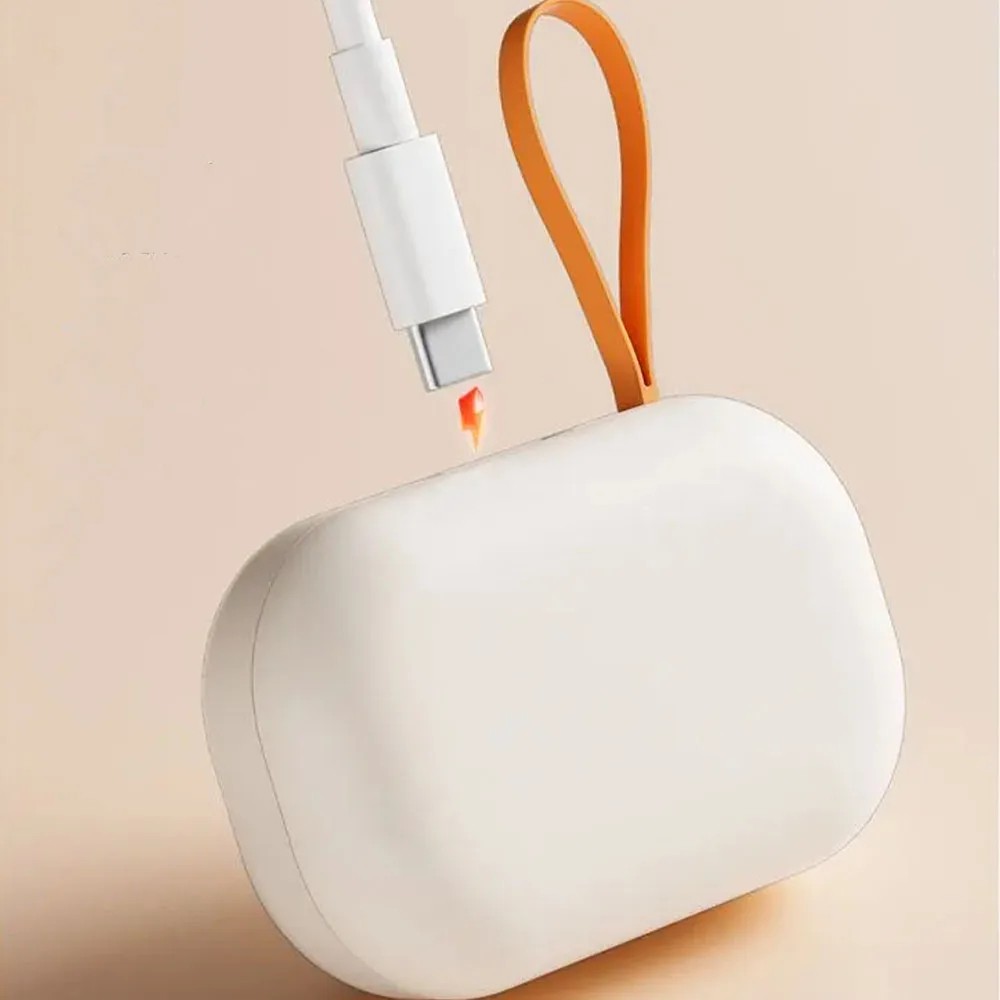
The cleaner is equipped with USB charging (Type-C), allowing for convenient recharging without the need for batteries. Once charged, the device can be used repeatedly for an extended period.
The compact and lightweight design ensures easy portability. The case features separate compartments for the left and right lens for organised and hygienic storage.
Main Features
- ultrasonic cleaning of contact lenses
- 18,000 vibrations per minute
- 360° cleaning from all sides
- cleaning cycle of approximately 3 minutes
- USB charging (Type-C)
- compact and portable design
- separate compartments for left and right lens
- non-slip elements on the bottom
- colour design
Instructions for Use
- open the case and place the contact lenses in the individual compartments
- fill the compartments with cleaning solution
- close the lid of the device
- press the button to start the cleaning cycle
- after completion (approximately 3 minutes), remove the lenses using tweezers or an applicator
- before using the lenses, it is recommended to rinse them with fresh solution
Contents of the Package
- 1x ultrasonic lens cleaner
The device is designed for regular care of contact lenses. Thanks to the combination of vibrations and compact construction, it is suitable for everyday use and travel.
Warning: The product does not contain an LED display. The colour shade may vary slightly depending on the production batch or device display settings.

Seller: VAEVAEN
Dispatched within 1 working day (Mon–Fri) – orders paid for by 14:00 Irish time are processed on the same working day.
Availability: In stock
Transit: 5–13 working days – transit takes place on working days (Mon–Fri).
In total, please allow 5–14 working days from payment of your order.
Delivery is only possible to addresses in Ireland.
Delivery to address: €1.59
Returns
Deadline: 30 days from receipt of the goods, without giving any reason
How: notify us of your withdrawal at info@lunzo.ie and send the goods by post to the returns address:
Rotonda Rene Descartes, Parcela 101 – Nave 3
28070 Alcala de Henares, Madrid
Spain
Once you have sent the parcel, send us the proof of dispatch with the tracking number to info@lunzo.ie – this lets us process your return as quickly as possible and refund you without waiting for the parcel to arrive.
Product condition: you can also return goods that have been used or unpacked, or that no longer have their original packaging or tags
Costs: you pay the postage for sending the goods back to Spain; we charge no return fee
Refund: within 14 days of receiving your notice of withdrawal; we may withhold the refund until the goods have arrived back or until you provide proof that you have sent them
Exchanges
Deadline: 30 days from receiving your parcel (exchange for a different size, colour or variant)
How: write to us at info@lunzo.ie, giving your order number and the variant you want – once we have checked that it is available, we will send you instructions for the exchange, including the address to which you should send the original item
Costs: you pay to send the original item back; the new variant will be sent to you at no further charge
Faulty or damaged goods
Period for claiming a fault: up to six years from delivery of the goods – within the first 30 days you can reject a faulty product and ask for a full refund, and for the first 12 months a fault is presumed to have been present on delivery
How: write to us at info@lunzo.ie and attach a photograph or a video of the goods – in most cases you do not have to send the goods back
Remedies: a replacement with a new item, a reasonable price reduction, or a refund of the full purchase price
You will find the details in Delivery and Payment, Returns and Exchanges, Faulty Goods.
Seller:
Haochen Commercial Trade Co., Ltd.
Address: B6-4, West Side Dayun Logistics City, Zhangliao Road, Shanxi, 036002, China
E-mail: whatook88@outlook.com
Telephone: +86 188 2021 2957
Manufacturer:
Haochen Commercial Trade Co., Ltd.
Address: B6-4, West Side Dayun Logistics City, Zhangliao Road, Shanxi, 036002, China
E-mail: whatook88@outlook.com
Telephone: +86 188 2021 2957
EU responsible person:
Apex CE Specialists GmbH
Address: Ravolzhäuser Str. 3a, 63543 Neuberg, Germany
E-mail: info@apex-ce.com
Telephone: +49 2131 2066043