






































Home page Home page Photo, Audio-Video & Gaming Gaming Consoles NFC Emulator 1.3" OLED 200 mAh USB-C for Nintendo Switch Switch OLED Switch Lite 3DS WiiU for Amiibo and Game Data Tags
NFC Emulator 1.3" OLED 200 mAh USB-C for Nintendo Switch Switch OLED Switch Lite 3DS WiiU for Amiibo and Game Data Tags

NFC Emulator 1.3" OLED 200 mAh USB-C for Nintendo Switch Switch OLED Switch Lite 3DS WiiU for Amiibo and Game Data Tags

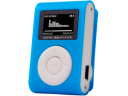
A handy assistant for managing profiles, quick switching with a rotary dial, clear menu, long battery life, and easy operation. At home or on the go, always. Full description
In stock
Colour:
€28.78
Overview

NFC Emulator 1.3" OLED 200 mAh USB-C for Nintendo Switch Switch OLED Switch Lite 3DS WiiU for Amiibo and Game Data Tags

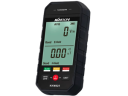
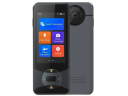
The practical NFC emulator helps you manage and quickly switch stored NFC profiles for compatible devices and games. Thanks to the 1.3" OLED display (organic display with high contrast), everything is readable at a glance and operation is simple even without a computer. The built-in 200 mAh battery is suitable for everyday use, and you can conveniently recharge it via USB-C charging. The rotary dial allows for swift navigation in the menu, so you can select a profile in no time at home, at school, or on the go. The device serves as a simulation of NFC (near-field communication) – use only records and data for which you have permission.

  • Compatibility with Switch, Switch OLED, Switch Lite, 3DS and WiiU as well as other devices that support NFC.
  • Clear menu on the display and quick operation using the multifunctional rotary dial.
  • Simulation of various types of NFC records: supports MIFARE series (e.g. 1K/2K/4K – types of chips used in cards) and NTAG (e.g. 210/212/213/215/216 – types of NFC tags).
  • Support for 13 languages in the system for convenient environment setup.
  • Rechargeable via USB-C and long battery life thanks to energy-efficient operation.
  • Built-in small casual games for short breaks during the day.
  • Instructions for use: 1) Before first use, fully charge the device via USB-C. 2) Turn on the device and select the correct profile from the menu. 3) Hold the emulator to the NFC reader of the device or to the area where an NFC figure or tag is usually placed. 4) To change the profile, rotate the dial, confirm the selection, and hold it again. 5) If the profile does not load, adjust the positioning and try a shorter distance.
  • Package contents: 1x NFC emulator

The emulator is suitable for anyone who wants to have NFC profiles neatly in one place and switch them quickly without unnecessary delays. The display helps keep track of stored items, and the rotary control is intuitive even for beginners. Recharging via USB-C simplifies operation, as the cable is commonly available for other devices. If you want to speed up your daily work with NFC and have everything ready in a few seconds, this solution will save you time and hassle.

Delivery and Returns
Total price incl. VAT €28.78